
Find out who is logging into your Kontainer and what content is most popular. Track statistics Kontainer from the Access menu or find out how a specific file is faring.
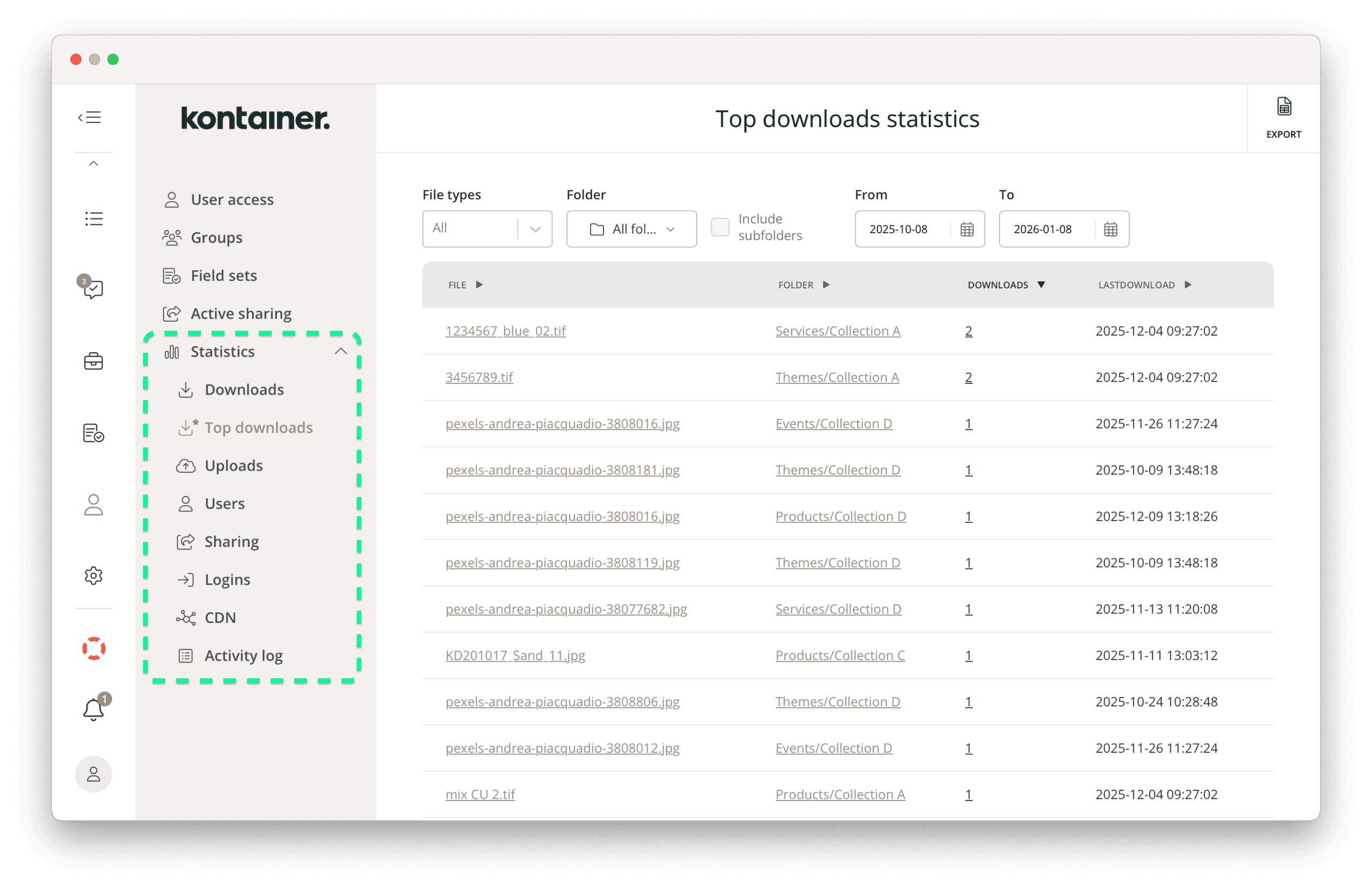
Standard statistics available in Kontainer include:
- Downloads
- Uploads
- Logins
- Sharing
- CDN tracking
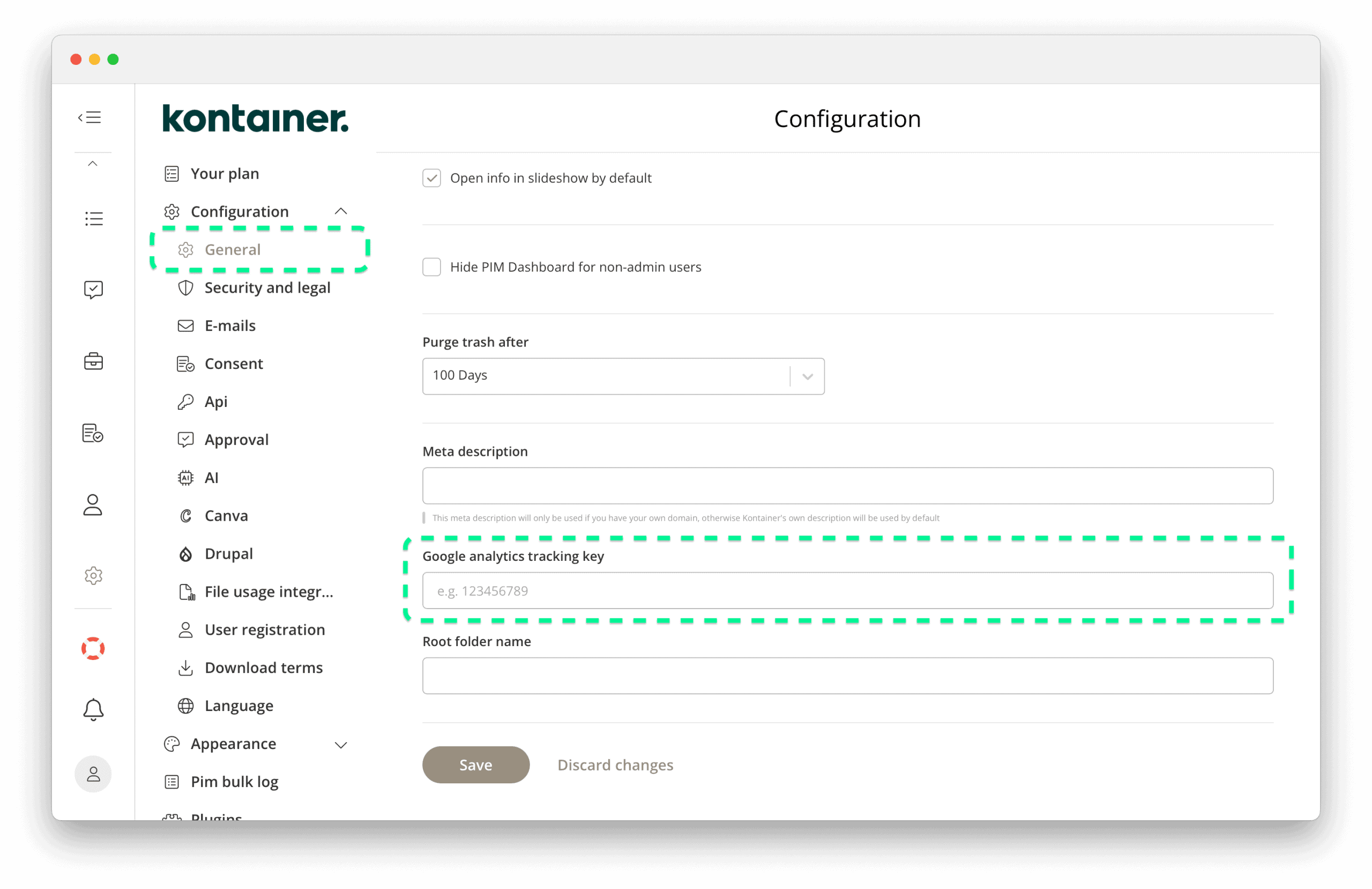
You can also add your Google Analytics tracking key to obtain more information in this way.
We do log more data in the system. If you require a specific tracking setup, please contact us for a consultation.
Statistics module
Find the statistics module under Access/Statistics.
File information
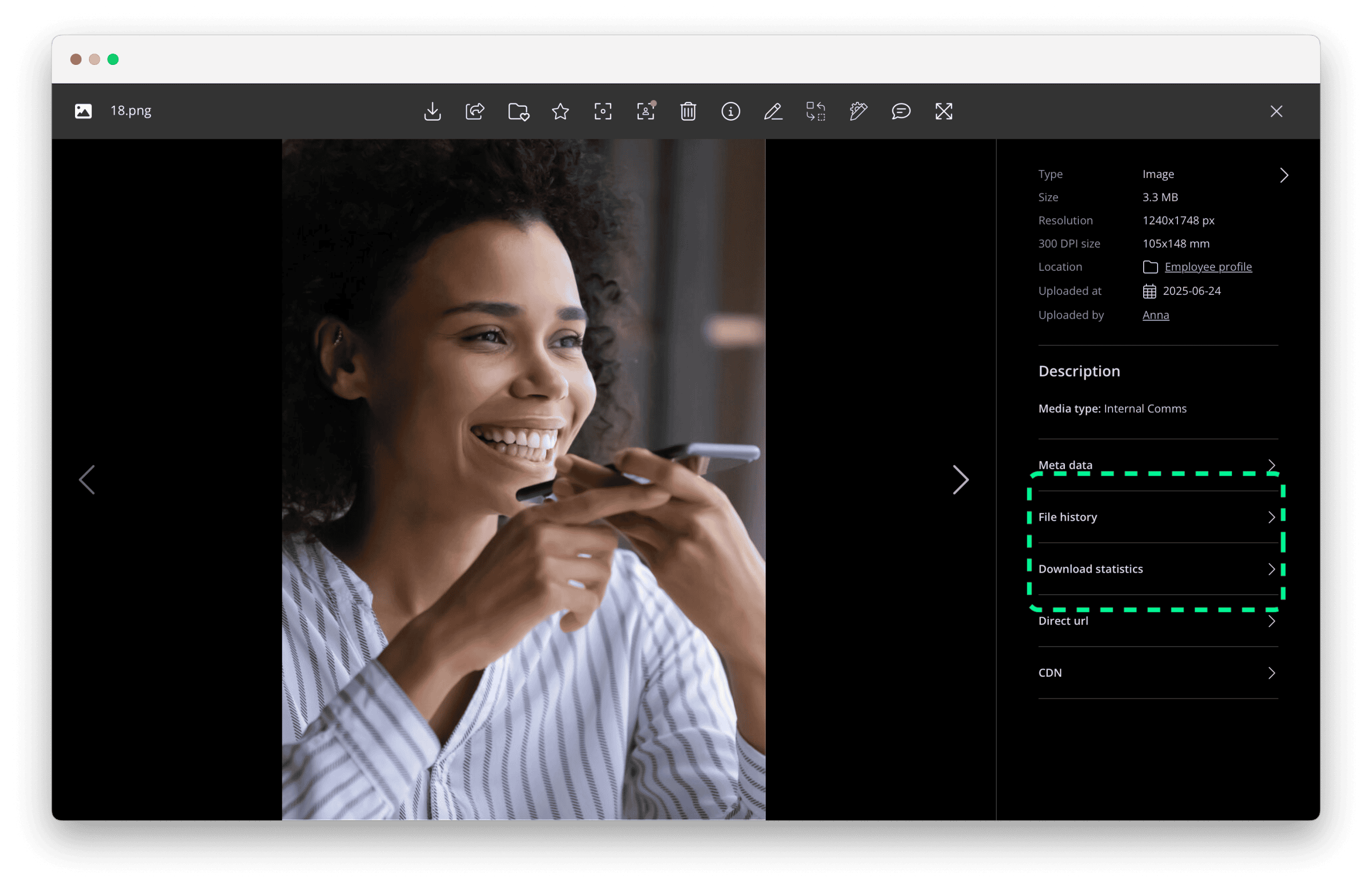
For quick access to the download statistics of a specific file, open it in gallery mode or select ‘View details’ from the three-dot menu on the file.
In the file details on the right-hand side, you will see:
- File history
- File download statistics
Google Analytics tracking key
To obtain more statistics and tracking, add your Google Analytics tracking key under Settings/Configuration/General.
Thank you for visiting our helpdesk.
Contact customer support if you have any unanswered questions.