
End-user guide
Below, you’ll find our standardized end-user guide for Kontainer DAM.
Every client will use and style the Kontainer DAM to match their brand, identity and needs. Colors, structures, data sets, and more will therefore depend on the individual settings of the Kontainer you are using. This guide gives a simple overview of standard functions.
In this guide
If you have any questions, please contact the admin users for the Kontainer you are accessing. You are also welcome to contact our customer success team by email.
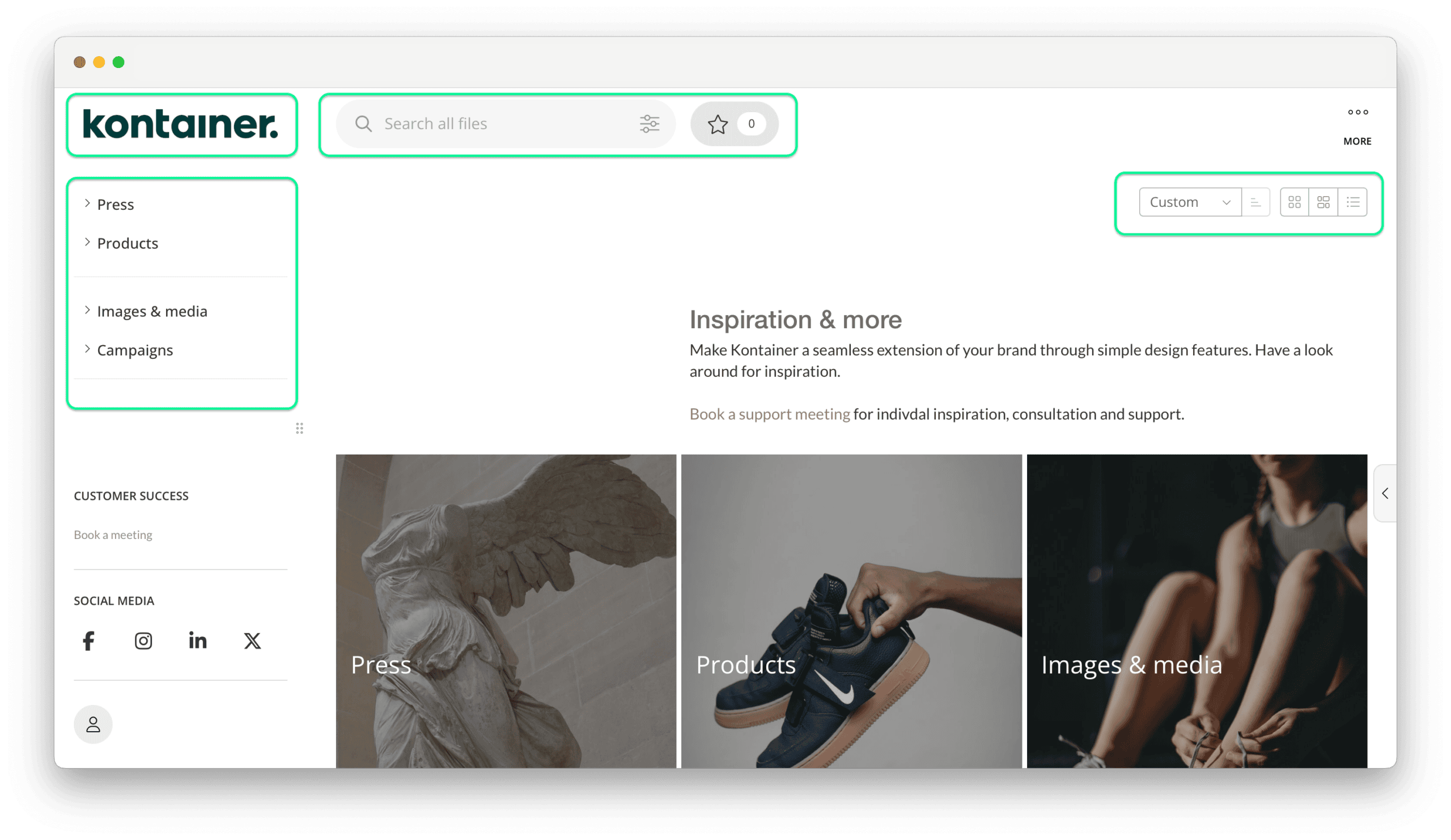
How-to: Navigate
General layout of Kontainer.
- Logo/home page button
- Folder structure
- Search
- View preferences
How-to: View
Grid/box/list view
Options:
- View file data
- Select download format
- Share files selected
- Star files*
- Access more menu
*create a temporary selection for sharing or downloading.

How-to: View
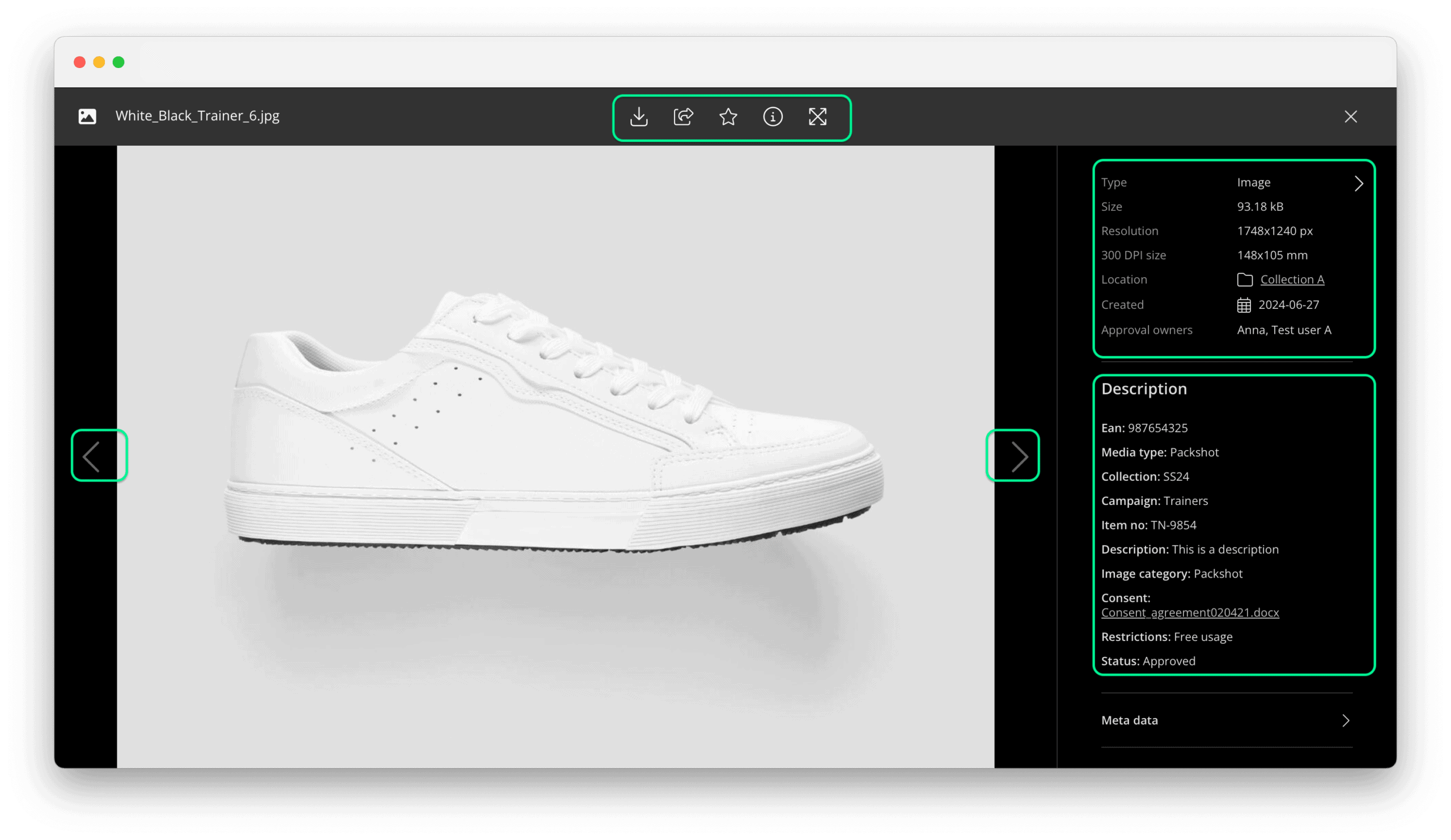
Gallery/full page
Click image to open gallery mode.
- Tab through images
- View file data
- Select download format
- Share file
- Star file*
*create a temporary selection for sharing or downloading.
How-to: Share
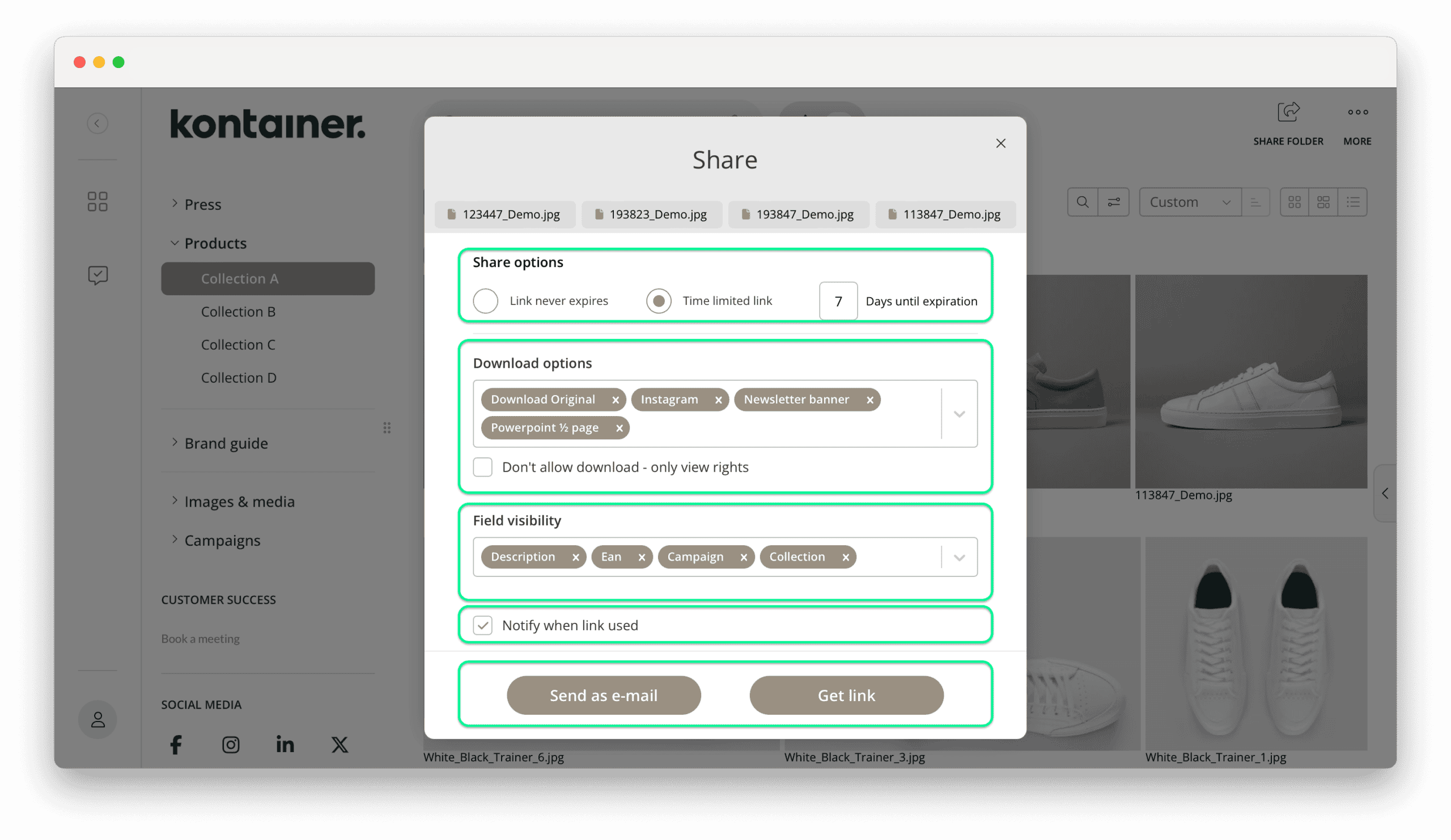
Settings
Five settings to consider:
- Link expiry
- Download options
- Field (tagged data) visibility
- Usage notification*
- Send email* or get link
*for user accounts with email.
How-to: Share
Options
- A selection of files
- A single file
- A folder
- From the star “basket”
How-to: Download
Custom
Download the original file, use a download template or use the custom formatter.
How-to: Download
Templates
The download will either start immediately, or you might have to select a crop first.
How-to: Search
Locally or globally by:
- Keywords
- Filters
- Open values
- Exact values
- Expanded
To find out more check out the search guide here.
How-to: Edit Profile
Profile icon at bottom left corner.
- Profile details
- Language settings
- Adobe and Office plugins*
- Subscribe to notifications**
**for user accounts with email.

Thank you for visiting our guide.
If you have any questions or need inspiration email Customer Success.