
Kontainer Helpdesk Kontainer Helpdesk

  • Knowledge base
  • New Admin Guide
  • Support
Home / Basic setup & config, Layout & Styling / Add a Welcome Message on the Login Screen

Add a Welcome Message on the Login Screen

Admin users only
38707 views Less than a minute 4

Add a welcome message on your login page.

Example:
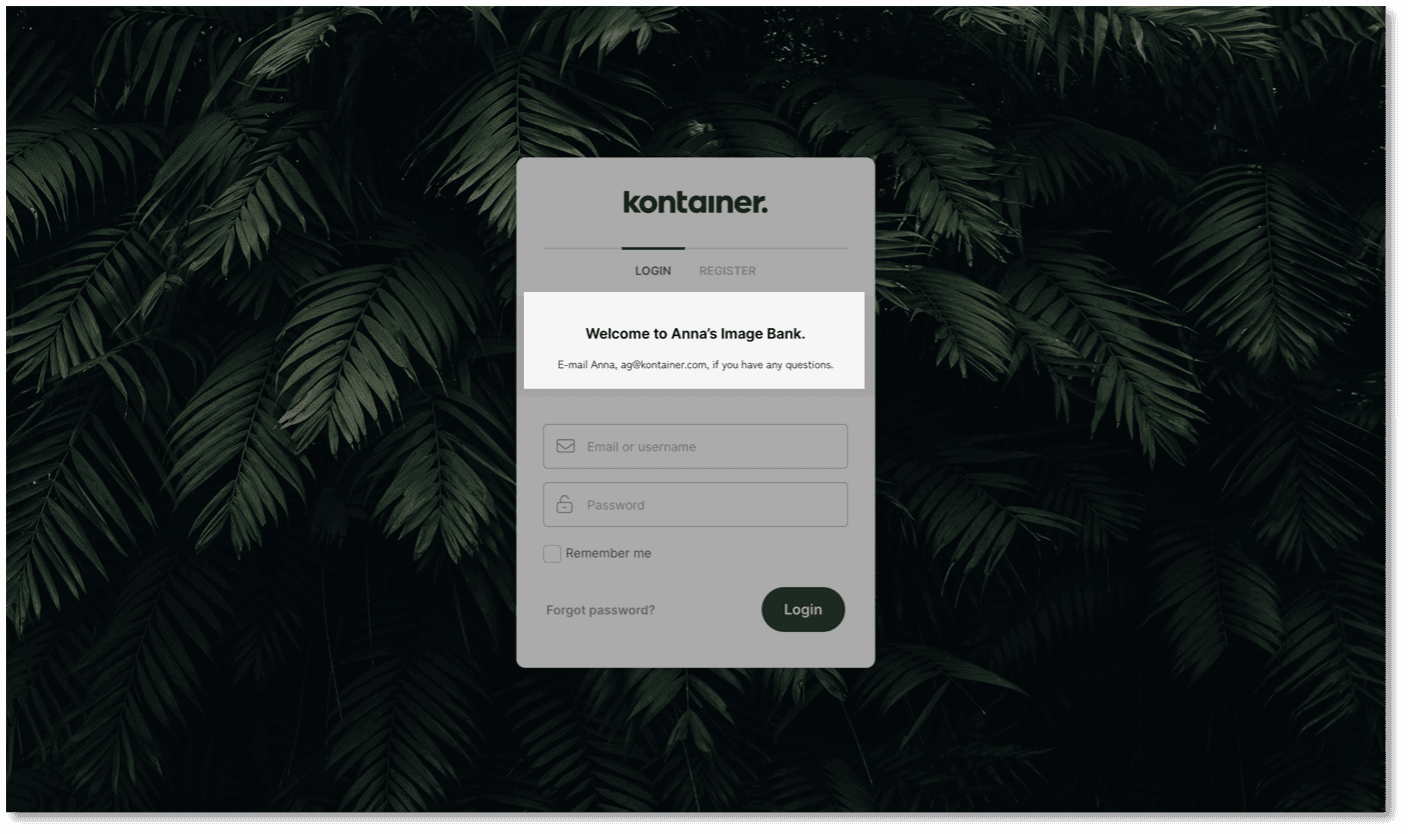
Welcome Text on Kontainer Login Page

This could also be an important user notice or a link directly to a certain open space of your Kontainer.

Go to Settings > Configuration and add a message to be shown on the login screen.
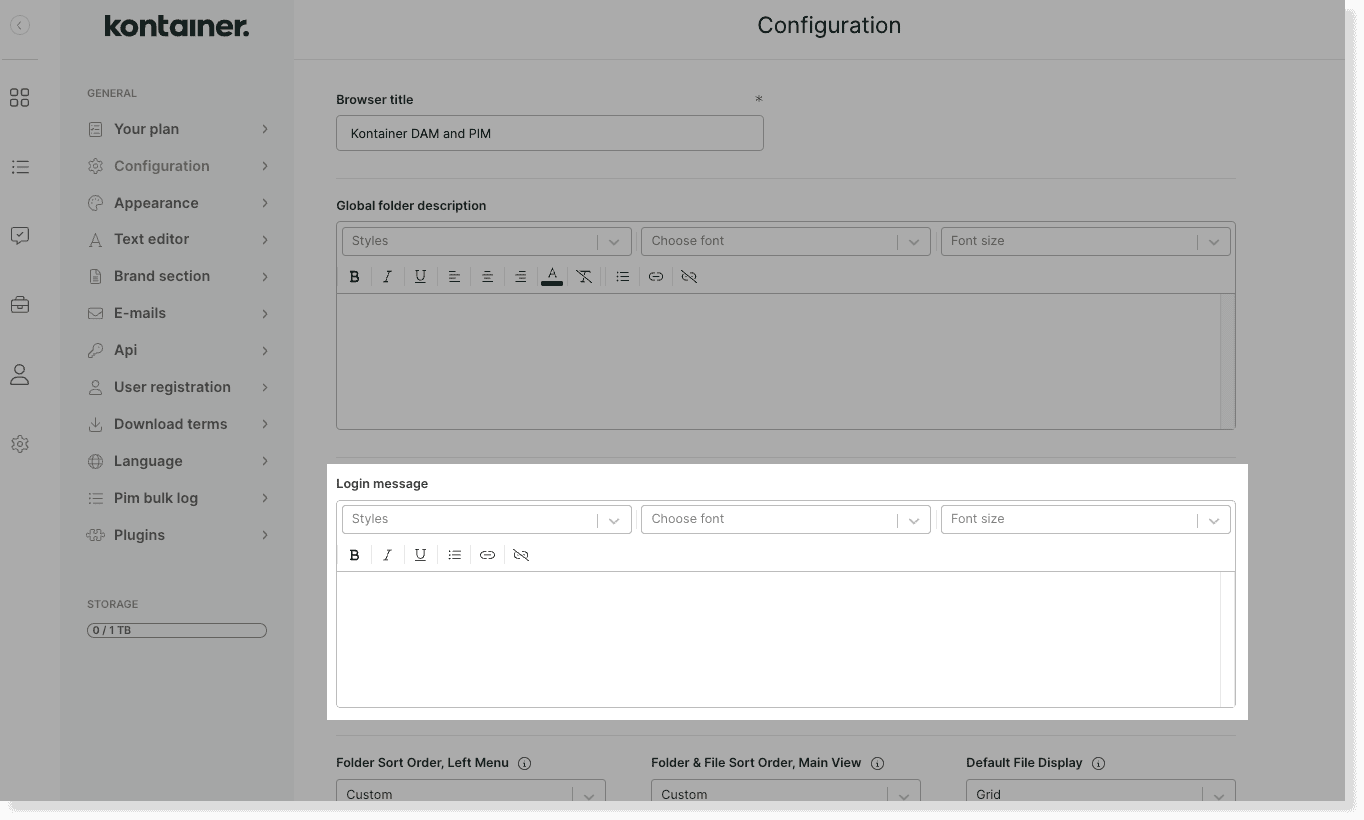
login message image 2


—

Read a lot more about styling your Kontainer here.

Admin users only Basic setup & configLayout & Styling

Table of Contents

Related Articles

  • Hiding the Folder Menu
  • Adding Spacers in Your Folder Structure
  • E-mail settings
  • AI functions for DAM

Follow us

Remote support

Book a support session here

For desktop sharing click here

Cookie & Privacy Policy

Please read our privacy policy

Click here

Copyright 2025 Kontainer All rights reserved.