
Customizing System E-mails in Kontainer
In Kontainer, you can customize the default e-mails sent for various activities. This includes adjusting subject lines, body text, and sender information to align with your organization’s branding.
Accessing E-mail Settings
-
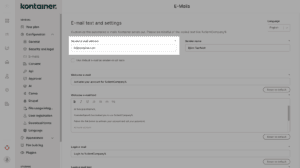
Navigate to Settings > Configuration > E-mail.
-
At the top of the page, you will see options to set:
-
Sender name
-
Sender e-mail address
-
Customizing E-mail Content
You can edit the subject line and body text for the following e-mails:
-
Welcome e-mail
-
Activation e-mail
-
Permission update e-mail
Multi-language Support
Use the language picker (upper-right corner of the page) to customize e-mail text for all available system languages.
Using Your Own Domain as Sender
If you specify an e-mail address from your own domain as the sender, Kontainer will send system e-mails on behalf of your domain.
Important: To ensure successful delivery, Kontainer must be whitelisted in your domain settings. Otherwise, e-mails may fail to send.
Required DNS Settings
Provide the following information to your IT team:
-
SPF Record (add to existing):
include:spf.kontainer.com -
DKIM:
kont._domainkey.yourdomain.com CNAME dkim.app.kontainer.com.
After these records are added, Kontainer will be authorized to send system e-mails from your domain.